QR Code Generator with Logo & Blur Effect
QR Code Generator with Logo & Blur Effect
Create custom QR codes with your logo, choose colors, and add a blur effect for a stylish look.
⬇ Download QR CodeQR Code Generator with Logo & Blur Effect: A Customizable Free Tool
Custom QR codes are changing how businesses and individuals share information. Instead of using plain black-and-white squares, today’s users want something more visually appealing and brand-specific. The QR Code Generator with Logo & Blur Effect offers a unique solution that combines design and functionality to help you generate professional-quality QR codes effortlessly.
This guide explains how the tool works, why it’s valuable, and how you can use it to create standout QR codes that represent your brand or personal identity.
Why a Branded QR Code Matters
QR codes are everywhere—from packaging to restaurant menus and business cards. But standard QR designs lack personality and fail to represent your brand. With a personalized generator, you can create QR codes that leave a strong impression and encourage user interaction.
Visual Enhancements Make a Difference
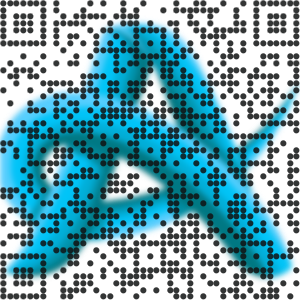
The QR Code Generator with Logo & Blur Effect enables users to insert a logo into the center of the code and apply a background blur effect. This feature not only improves appearance but also increases trust by making your code recognizable.
Modern Dot Styles and Custom Colors
Instead of outdated square patterns, this generator provides rounded dots and decorative styles for a modern look. You can also select a color scheme that matches your brand, making your QR codes consistent across all marketing channels.
Key Features of This QR Code Generator
This tool stands out due to its easy-to-use interface and wide set of features. It was created to help people of all technical skill levels design attractive and effective QR codes.
Logo Upload Option
Users can upload a logo and place it in the center of their QR code. This is a great way to align the design with your personal or company branding.
Blur Effect Background
A subtle blur effect appears behind the QR code and logo, making the central image pop while maintaining clean scanning functionality.
Multiple QR Code Types
The tool allows you to generate codes for:
- URLs
- Plain text
- Email addresses
- WhatsApp messages
- Contact cards (vCard)
Unlike other tools that preselect the QR type, this one allows users to choose the format they need from the start.
Color Customization
Pick custom colors for your QR dots and patterns to enhance brand recognition.
Download and Reset Functions
After designing your code, you can download it directly in PNG format. If you need to start over, a reset button is available to clear all inputs instantly.
Comparing with Other QR Code Tools
Here’s how this tool compares with others in the market:
| Feature | Basic Free Tool | Premium QR Services | Ahmad Free Tools |
|---|---|---|---|
| Logo Upload | Not Available | Available | Available |
| Blur Background | Not Available | Limited | Available |
| Dot Style Options | Not Available | Available | Available |
| Color Customization | Not Available | Available | Available |
| Download Without Signup | Sometimes | Yes | Yes |
| Manual QR Type Selection | No | Yes | Yes |
| Reset Button | No | Yes | Yes |
This table highlights how the QR Code Generator with Logo & Blur Effect offers premium-level features while remaining completely free to use, making it ideal for professionals, freelancers, and businesses.
Who Should Use This QR Generator?
Small Business Owners
Create custom QR codes for flyers, store signage, or product packaging. Including a logo adds credibility and encourages customer engagement.
Freelancers and Personal Brands
Share your portfolio or contact information in a format that reflects your personal brand. The ability to customize makes your QR codes stand out from the rest.
Event Organizers and Marketers
Enhance your marketing campaigns with visually distinct QR codes that match your event’s theme or branding.
Step-by-Step: How to Use the Tool
Using the QR code builder is easy:
- Select your QR type (URL, text, email, WhatsApp, or vCard).
- Enter your content in the input field.
- Pick a color that suits your brand or message.
- Upload your logo for branding.
- Generate and download your QR code.
- Use the reset button if you want to start again.
All this is available without any login, payment, or watermark.
Designed by Ahmad Free Tools
The generator is developed and maintained by Ahmad Free Tools, a platform offering high-quality free utilities for personal and professional use. It focuses on creating value-driven tools that help people design smarter, more professional digital solutions without needing technical skills.
Conclusion
QR codes are more than just square blocks—they are visual gateways to your digital world. With the Custom QR Code Generator , you can build custom, branded QR codes that improve user engagement and visual appeal. Whether you’re a business owner, freelancer, or marketer, this free tool offers everything you need to create high-quality QR codes with added style and personality.