
7 Wastes Audit Score Calculator
7 Wastes Audit Score Calculator
Assess non-value-added activities (Muda) in any process using the globally recognized 7 Wastes framework from Lean Manufacturing. Rate each waste from 0 (no waste) to 10 (severe waste). The tool auto-calculates your total audit score instantly.
How to Identify and Reduce Waste in Your Processes?
Understanding where inefficiencies occur in your workflow is crucial for improving productivity and profitability. The 7 Wastes Audit Score Calculator helps organizations and individuals quickly assess non-value-added activities using the proven Lean Manufacturing 7 Wastes framework. By evaluating each type of waste, you can pinpoint critical areas for improvement and take actionable steps to optimize operations.
What is the 7 Wastes Audit Score Calculator and Why Should You Use It?
The 7 Wastes Audit Score Calculator is an interactive tool designed to measure the level of waste, also known as Muda, in any process. Waste in a process slows operations, increases costs, and reduces quality. Using this calculator, you can rate each of the seven wastes from 0 (no waste) to 10 (severe waste) to get a total audit score. This allows you to:
- Quantify inefficiencies in real-time
- Identify the most critical areas for process improvement
- Track progress over time
For instance, a production manager noticing repeated delays due to overproduction can input scores into the calculator and immediately see how significant this issue is compared to other wastes.
How Does the Calculator Work?
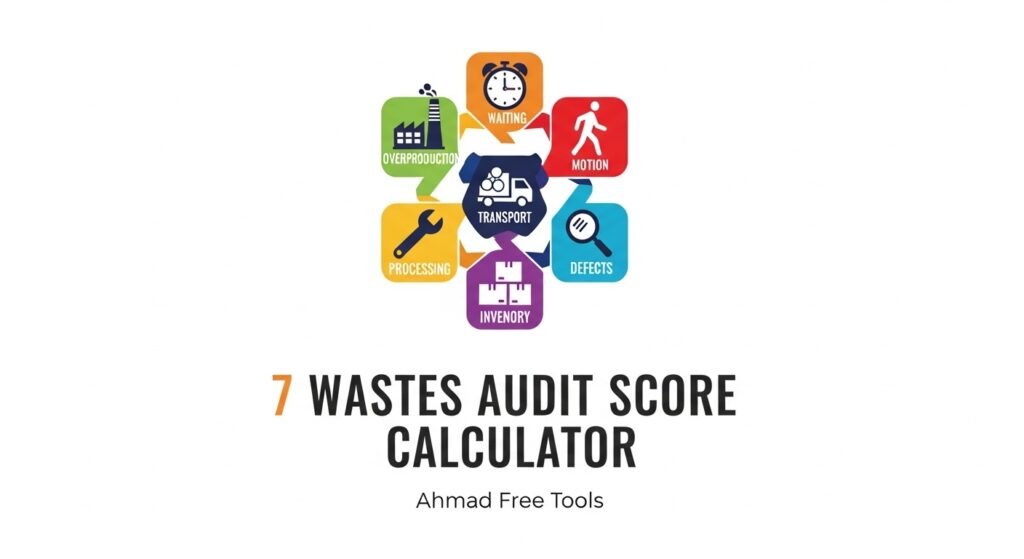
The tool evaluates seven key types of waste recognized in Lean Manufacturing:
- Transportation – Unnecessary movement of materials or products.
- Inventory – Excess stock of raw materials, work-in-progress, or finished goods.
- Motion – Unnecessary movement of people or equipment.
- Waiting – Idle time waiting for materials, information, or next steps.
- Overproduction – Producing more than what is needed by the customer.
- Overprocessing – Extra work or steps that do not add value.
- Defects – Errors, rework, scrap, or quality issues.
Each waste is scored individually, and the tool calculates the total audit score out of 70. The Waste Severity Index is then displayed as a percentage, giving a clear understanding of the overall Muda level:
- 0–25%: Low Waste – Strong process control
- 26–50%: Moderate Waste – Clear improvement opportunities
- 51–100%: High Waste – Major Lean opportunities exist
The tool also provides a breakdown of each waste and actionable advice, such as using value stream mapping, 5S methodologies, Just-In-Time production, and standardized work to reduce waste. You can even copy the full audit report for record-keeping or team review.
How Can You Apply the Calculator in Real-Life Scenarios?
Example 1: Manufacturing Floor Audit
A factory supervisor notices frequent delays in product shipment. By scoring the wastes using the calculator:
- Transportation: 6
- Inventory: 5
- Motion: 4
- Waiting: 7
- Overproduction: 3
- Overprocessing: 4
- Defects: 5
The total score comes to 34/70, with a Waste Severity Index of 49%. This highlights waiting and transportation as priority areas. The manager can then implement process mapping and Just-In-Time strategies to address these issues.
Example 2: Office Workflow Efficiency
A team spends significant time preparing reports manually:
- Transportation: 2
- Inventory: 1
- Motion: 3
- Waiting: 6
- Overproduction: 4
- Overprocessing: 7
- Defects: 3
With a total score of 26/70, the highest impact comes from overprocessing and waiting. Using the calculator results, the team can automate repetitive tasks to reduce overprocessing and implement clear communication protocols to minimize waiting. Tools like the Non-Value Activity Time Calculator can further quantify wasted time for office workflows.
Example 3: Remote Work Productivity
Remote teams often struggle with distractions that slow task completion:
- Motion: 3
- Waiting: 5
- Overproduction: 2
- Defects: 3
- Inventory: 2
- Transportation: 1
- Overprocessing: 4
This scenario shows a total score of 20/70 with low to moderate waste. Applying insights from the calculator, teams can structure focused work sessions and leverage tools like Motion Waste Estimator to reduce unnecessary movements.
Why Does Measuring Muda Matter for Your Business?
Identifying and reducing the seven wastes directly improves efficiency, reduces costs, and enhances quality. Businesses that consistently apply Lean principles gain competitive advantages, including faster delivery, better resource utilization, and higher customer satisfaction. Using a calculator like this ensures your improvement efforts are measurable, repeatable, and data-driven.
How Do You Maximize the Value of the Calculator?
- Run audits regularly to track progress and detect new waste patterns.
- Focus on the highest-scoring wastes first to achieve quick gains.
- Integrate Lean tools like 5S and Mushin methodologies to systemically reduce waste.
- Use the breakdown report for team discussions and continuous improvement meetings.
By experimenting with different scenarios, you can simulate the impact of potential changes before implementing them in real life, ensuring more informed decision-making.
Frequently Asked Questions
1. Can this calculator be used outside manufacturing?
Yes, it applies to any process where efficiency is important, including office workflows, remote teams, and service industries. The seven wastes framework is universally adaptable.
2. How often should I perform a 7 Wastes audit?
For ongoing improvement, conduct an audit every 30–60 days. This ensures that improvements are tracked and new inefficiencies are detected early.
3. How do I prioritize which wastes to address first?
Focus on wastes with the highest scores in the audit. These have the greatest impact on overall efficiency and should be tackled using Lean tools like value stream mapping and 5S.
Conclusion
The 7 Wastes Audit Score Calculator is a practical, expert-designed tool for evaluating and reducing waste in any process. By providing clear scores, detailed breakdowns, and actionable advice, it transforms abstract efficiency goals into concrete, measurable steps. Incorporate it into your workflow audits, explore related tools like the Motion Waste Estimator, and continuously monitor your progress to maintain a lean and productive operation.