
PDCA Cycle Duration Planner
PDCA Cycle Duration Planner
Plan · Execute · Measure · Improve — Estimate your complete PDCA cycle duration
What Is a PDCA Cycle Duration Planner and Why Do You Need It?
A PDCA Cycle Duration Planner is a practical tool that helps teams estimate the total time required to complete a full Plan-Do-Check-Act (PDCA) cycle. Imagine a company trying to improve its customer support process. Without a clear estimate, planning may drag on, pilots might be rushed, and improvements could fail. Using this tool, managers can break down each phase—Plan, Do, Check, Act—assign realistic durations, and see the total cycle time at a glance. It ensures every step is measured, tracked, and executed efficiently.
How Does the PDCA Cycle Duration Planner Work?
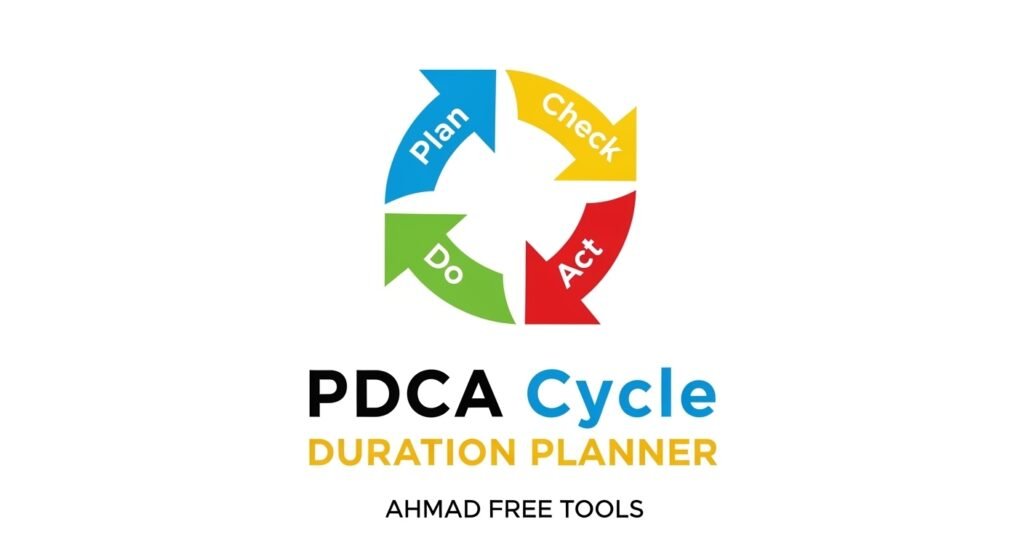
The planner divides the workflow into four phases, each with key inputs that determine the duration:
- Plan Phase: Define the problem, analyze root causes, collect data, design solutions, and include stakeholder review.
- Do Phase: Execute the plan on a pilot scale, set up resources, train the team, and monitor implementation.
- Check Phase: Measure results, analyze KPIs, and assess gaps or variances.
- Act Phase: Decide whether to standardize or revise, document processes, and prepare for the next cycle.
Users input the expected duration in days for each subtask, select the number of cycles, and the tool calculates:
- Total time per phase
- Per-cycle duration
- Total duration for multiple cycles
- Visual phase breakdown with percentage contribution
- Cycle-by-cycle timeline and recommendations
The planner uses simple addition and percentage calculations. For example, if Plan takes 14 days, Do 11 days, Check 8 days, and Act 9 days, one cycle totals 42 days. Two cycles double that to 84 days, with the tool also translating the total into weeks and approximate months.
How Do I Input My Data Accurately?
To get reliable results, it’s important to enter realistic values:
- Use half-day increments for tasks that take less than a full day.
- Include buffer time for stakeholder approvals in the Plan phase.
- Make sure the Do phase allows enough time for piloting and monitoring.
- For multiple cycles, remember that each iteration compounds the total duration.
For teams dealing with multiple improvement projects, this approach prevents underestimation and ensures proper sequencing. You can also explore the Action Plan Resource Calculator for allocating resources effectively during planning.
Can You Show Practical Examples Using This Planner?
Yes, here are three real-world scenarios:
Example 1: Simple Process Improvement
- Plan: 3 + 2 + 4 + 3 + 2 = 14 days
- Do: 5 + 2 + 1 + 3 = 11 days
- Check: 3 + 2 + 2 + 1 = 8 days
- Act: 1 + 5 + 2 + 1 = 9 days
- One Cycle Total: 14 + 11 + 8 + 9 = 42 days
- Two Cycles Total: 84 days
This scenario fits small operational improvements like streamlining internal reporting.
Example 2: Pilot Program in Customer Service
- Plan Phase extended to 20 days to include surveys and baseline metrics
- Do Phase: 15 days for pilot training and monitoring
- Check Phase: 10 days to analyze KPIs and customer satisfaction
- Act Phase: 12 days for documentation and SOP updates
- Total Duration: One cycle = 57 days, which is ideal for gradual process refinement
The Result vs Target Gap Calculator can help you quantify performance gaps during the Check phase.
Example 3: Multi-Cycle Production Improvement
- Two cycles planned for major quality improvement
- Adjust durations to balance planning and execution:
- Plan: 25 days, Do: 18 days, Check: 15 days, Act: 12 days
- Total per cycle = 70 days → Total for 2 cycles = 140 days
This ensures the organization has enough time to test, measure, and refine processes without rushing any phase.
How Are the Calculations Done Behind the Scenes?
The planner uses a simple yet effective formula:
- Phase Total: Sum of all task durations within a phase.
- Per-Cycle Total: Sum of all phase totals.
- Multi-Cycle Total: Multiply per-cycle total by number of cycles.
- Phase Percentage:
(Phase Total ÷ One Cycle Total) × 100.
The tool also formats days into weeks or hours for shorter tasks, providing a clear visual perspective of where time is spent.
Why Should You Use This Tool Over Manual Estimation?
Manual estimates often suffer from bias and overlook cumulative time. This planner provides:
- Automated summation of all phases
- Visual phase breakdown for quick decision-making
- Cycle-by-cycle summary to plan repeated improvements
- Best practice tips, such as avoiding an overly long Plan phase or insufficient Do phase
For organizations aiming to adopt structured PDCA cycles, this tool reduces errors, improves scheduling, and increases the likelihood of sustained process improvement.
FAQs About PDCA Cycle Duration Planning
1. How many PDCA cycles should I plan?
For simple problems, 1–2 cycles are enough. For complex or large-scale improvements, 3–5 cycles may be necessary. The tool allows you to select the number of cycles, automatically recalculating total duration.
2. Can the tool handle partial-day tasks?
Yes, the planner accepts 0.5-day increments, which is ideal for tasks like short meetings or pilot observations.
3. How do I ensure realistic phase durations?
- Consult historical data from similar projects
- Include buffer time for approvals
- Review each phase with your team for consensus
- Use supporting calculators like the Action Plan Resource Calculator to validate resource allocation
How Can I Maximize Value From This Planner?
- Test multiple scenarios: Adjust durations to simulate different team capacities.
- Compare cycles: Use the cycle-by-cycle summary to understand improvement pacing.
- Document notes: Record findings in each phase to enhance organizational memory.
- Link with other tools: Combine insights from the Result vs Target Gap Calculator to identify where process improvements are most needed.
Conclusion
The PDCA Cycle Duration Planner transforms complex process improvement planning into a structured, measurable, and actionable schedule. By estimating durations for each phase and cycle, teams can make informed decisions, prevent bottlenecks, and maximize operational efficiency. Whether you are optimizing internal workflows, testing new initiatives, or scaling improvements, this tool provides clarity and precision. Explore the planner alongside related tools to ensure every PDCA cycle is well-documented, timely, and effective.